
 Spanish
CONTACT US
info@bidaiondo.com









Google Search Console now offers reports on the performance of your social media content in Search
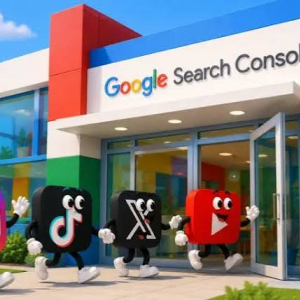
After years of allowing website managers to monitor their websites' search performance and traffic, Google Search Console has just expanded its horizons by introducing "platform properties." This new tool lets you connect your Instagram, TikTok, X, and YouTube profiles to visualize the performance of your social media content and traffic trends in Google Search. How Platform Properties Work Thanks to Search Console's new platform properties, you can monitor how users find your social media and video content when they search on Google. For now, this feature is compatible with Instagram, TikTok, X, and YouTube (I bet marketers are hoping LinkedIn will be added to this list). Data is generated independently for each platform you've connected to your Search Console dashboard, allowing you to get a specific view of your content's performance on each social network in Google Search. Note that this last point is important, as Search Console doesn't track when people view content on the social network itself; it only tracks performance data on Google. Key Metrics These are the key sections and metrics that Search Console offers for platform properties: - Performance Report: Shows the total clicks, impressions, average click-through rate (CTR), and average position in search results for the selected property. You can filter this data to discover which posts generate the most traffic on Google Search, Discover, and Google News. - Statistics Report: Provides an overview of recent traffic trends, top-performing content, and how users discover your platform's content on Google Search. - Achievements: Review your growth, milestones, and click-based achievements. - To help us better understand the metrics linked to the new platform properties, Google has provided a couple of examples of how Search Console measures specific social content formats: - Instagram Stories: If your Instagram Stories appear in Google Search, they are counted as impressions. If a Story appears in the search results and a user clicks on it, it is counted as a click. - Videos played on Google: If your video content is displayed in search results or Discover, the data is recorded as impressions. Furthermore, if a user clicks on it, it is counted as a click, even if that click opens the video in the Google player. How to activate platform properties in your Search Console dashboard To start viewing performance data for your Instagram, TikTok, X, or YouTube content in Google through Search Console, you must activate platform properties for each of the social networks you want to monitor.
To do this, follow these steps:
1. Open Search Console and click the property selector dropdown menu in the left sidebar. Click "Add property."
2. Select the social network you want to add from the list of compatible options.
3. Follow the on-screen verification instructions to securely authorize the connection.
4. Once the property is verified, a confirmation message will appear. Click "Go to property" to complete the setup.
5. Repeat this process for the rest of your social networks that are compatible with Search Console.
6. Please be patient; it may take a few days for the data to appear in the reports.
Last news
Ahora puedes invitar a cualquiera a tus llamadas de WhatsApp, incluso si no tiene perfil en la app

Para influir ya no basta con ser influencer: qué valoran los consumidores españoles

online trading systems.
 We show you the best way to market products and services online, through a professional service of installation, management and maintenance of your virtual store
We program to suit you
 We help you achieve operational excellence in all your business processes, whether they are production, logistics, service or office processes. In addition, we assure you to maintain continuous improvement in your management.
Bidaiondo Articles
What's new on YouTube for editors and content creators

If you edit videos for YouTube, you'll definitely be interested in the latest announcement from Made on YouTube. The platform has unveiled a series of new features designed to simplify the technical workflow so creators can focus on telling great stories. They've also introduced features to improve monetization and brand relationships, such as those we discussed in this article about Ask YouTube and Shopping. According to their Trends and...
TikTok drives the era of ‘Agentic Commerce’: new AI solutions for advertisers

TikTok continues to accelerate its commitment to artificial intelligence and e-commerce. During Advertising Week New York 2026, the entertainment platform unveiled a comprehensive suite of AI-powered solutions designed to cover every stage of the marketing funnel, from discovery to direct conversion. According to a Public First study, companies that advertised on TikTok last year generated €31 billion in economic value in the EU. Furthermore...
ABOUT US
FILES







Welcome to Bidaiondo, dear user
BIDAIONDO SL, as the party responsible for the website www.bidaiondo.com, uses its own operating cookies and those of third parties of an analytical nature to allow the use of the website, analyze our services and show you information related to your preferences based on a profile drawn up from of your browsing habits (for example: pages visited). Please bear in mind that, if you do not activate some types of cookies, such as operational and analytical cookies, your experience of using this website may be affected. You can obtain more information and configure your preferences in the CONFIGURE option that appears below, you can reject cookies in the REJECT AND CLOSE option or accept all cookies and continue browsing in the ACCEPT AND CLOSE option.
So do you want to know more?
Data privacy seems important to you, and it is to us too. We store cookie data for 13 months. If you want to know more, you can visit our pages Privacy Policy y Cookies policy. Do you know what cookies are? Cookies are files that are used by virtually all websites. When browsing our page, they are installed in your browser or device to ensure that the website works correctly and store information about your visit. The data provided by cookies treat the user anonymously and in no case do they store personal information.
The data collected by the cookies we use are:
- Addresses IP
- References of visited pages
- References of downloaded files
- The website itself www.bidaiondo.com
- https://www.moz.com
- https://secure/europeanssl.eu